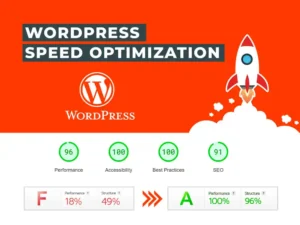
WordPress powers millions of websites worldwide, but most site owners never unlock its full potential. Without proper optimization, even a well-designed site can suffer from slow load times, security issues, and poor user experience.
At AG WebWorx, we apply proven WordPress tricks and best practices to ensure websites are fast, secure, and built to scale. Whether you’re a beginner or managing a growing business website, these WordPress tips can make a noticeable difference.
1. Keep WordPress, Themes, and Plugins Updated
Regular updates are one of the simplest yet most important WordPress best practices. Updates often include performance improvements, bug fixes, and security patches that protect your website from vulnerabilities.
Always back up your site before updating to avoid issues if something conflicts.
2. Use Only the Plugins You Actually Need
Installing too many plugins is a common mistake that negatively affects WordPress performance. Each plugin adds scripts, database calls, and potential security risks.
WordPress optimization tip:
Audit your plugins regularly and remove anything unused. Choose well-maintained plugins that can replace multiple smaller ones. Fewer plugins mean faster load times and fewer errors.
3. Optimize Images Before Uploading
Unoptimized images are one of the biggest causes of slow WordPress websites. Uploading large image files directly from design tools can significantly increase page load time.
Best practices for image optimization:
- Resize images to actual display size
- Compress images without losing quality
- Use modern formats like WebP
This is one of the easiest WordPress tricks to speed up your website.
4. Use a Caching Plugin
Caching is essential for improving WordPress site speed. It allows your site to serve static versions of pages instead of loading everything dynamically for every visitor.
Benefits include:
- Faster page load times
- Improved Core Web Vitals
- Better user experience and SEO
For business websites, caching is not optional, it’s a requirement.
5. Secure Your Login Page
TSecurity is a core part of WordPress maintenance. The default login page is a frequent target for automated attacks.
Simple WordPress security tips:
- Change the login URL
- Limit login attempts
- Enable two-factor authentication
These small changes greatly reduce the risk of unauthorized access.
6. Clean Your Database Regularly
Over time, WordPress accumulates unnecessary data such as post revisions, spam comments, and expired transients. This bloats the database and slows down your site.
Regular database cleanup helps:
- Improve site performance
- Reduce backup size
- Maintain long-term site health
Think of this as routine maintenance for your WordPress website.
7. Use a Child Theme for Custom Code
Editing a theme directly can cause you to lose all changes during updates. A child theme allows you to safely add custom CSS or functionality.
This WordPress trick ensures:
- Safe theme updates
- Cleaner code management
- Long-term scalability
Professional developers rely on child themes for a reasonelopers.
8. Set Proper User Roles
Not everyone needs administrator access. Assigning proper WordPress user roles improves both security and workflow.
Roles help you:
- Prevent accidental changes
- Limit access to sensitive settings
- Maintain better control over your site
This is especially important for teams and growing businesses.
9. Create Reusable Templates
Using reusable templates is one of the most time-saving WordPress tips, especially when working with page builders like Elementor.
Reusable templates are ideal for:
- Call-to-action sections
- Service layouts
- Repeating design blocks
They ensure design consistency and make future updates faster.
10. Always Test on Mobile
Mobile traffic now dominates the web. A site that performs poorly on mobile will lose visitors and potential customers.
Before publishing, always:
- Test layouts on different screen sizes
- Check button spacing and readability
- Ensure forms work smoothly
Mobile optimization is a critical part of WordPress best practices..
Putting These WordPress Tricks to Work
These WordPress tricks are not advanced hacks, they’re proven best practices used by professionals to build fast, secure, and high-performing websites. When applied correctly, they improve user experience, SEO, and overall site reliability.
At AG WebWorx, these steps are part of our standard process for creating WordPress websites that don’t just look good, but actually perform and convert.