WordPress 7.2 is scheduled to ship on December 8, 2026, and it carries more visible changes than any release in recent memory. The one grabbing the most attention right now is a new /random/ endpoint that redirects visitors to a randomly selected published post. It lands on every site by default, which has sparked a wave of pushback from developers and agencies since the feature was announced on November 5.
If you run a WordPress site and you haven’t looked at what 7.2 brings, now is the time. Waiting until after the update ships is how small surprises turn into big ones.
What the /random/ endpoint actually does
When WordPress 7.2 is installed, visiting yourdomain.com/random/ will redirect any visitor to a randomly chosen published post. The feature extends to archives too: /random/category/news/ drops someone into a random post from that category, /random/author/jane/ does the same for a specific author, and any publicly queryable custom post type with an archive gets its own /random/ variant automatically. Pages and attachments are excluded.
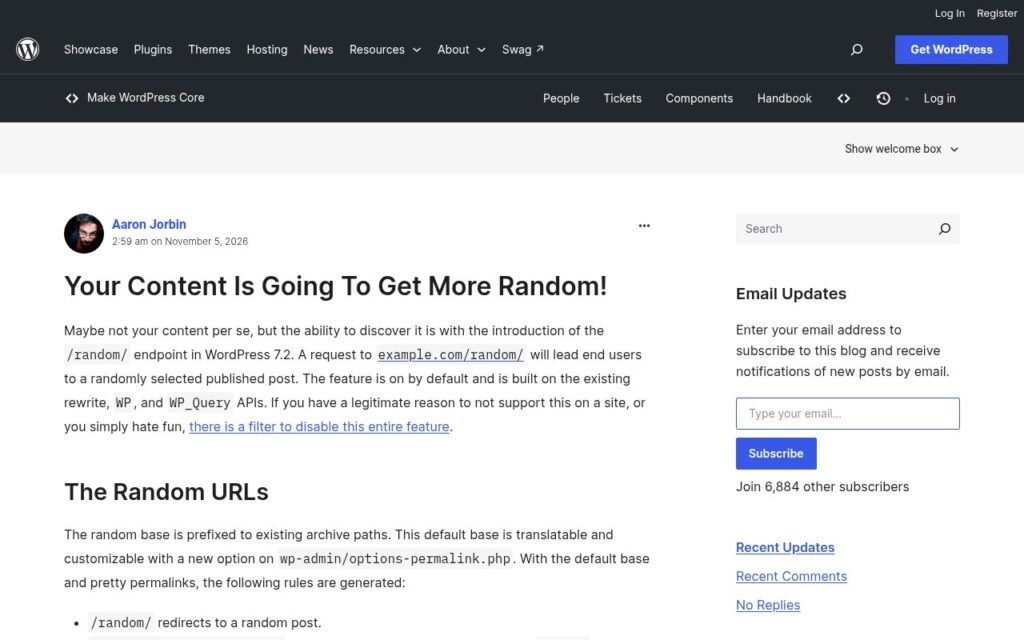
The base path is translatable and customizable from Settings > Permalinks in wp-admin, so you can rename it if “random” conflicts with something on your site. What you cannot do is flip it off from the admin UI entirely. Disabling it requires a filter, specifically a mu-plugin containing add_filter( 'wp_enable_random_content_redirect', '__return_false' );. That one line prevents the rewrite rules from being generated and hides the random base field on the permalinks screen.
The official Make WordPress Core announcement includes the full filter reference and details on how register_post_type() gains a new randomable argument if you need finer-grained control over which post types are eligible.
Why developers are unhappy about the default-on choice
The concern isn’t the feature itself. A random redirect is genuinely useful on content-heavy blogs, news sites, and archives with years of back-catalog. The friction is that it activates on every site, including ones that use custom post types for content that was never meant to be browsed publicly, even if nothing links to it.
According to The Repository, Yoast founder Joost de Valk called the default-on approach “a horrible idea” and pointed out that WordPress has no built-in way to mark a post as non-discoverable at the core level. Developer Sibin Grasic put the operational problem plainly: he now needs to push a mu-plugin to disable the feature across more than 200 client sites. The Make blog post itself drew more than 90 comments, most of them critical. The feature originated from a Trac ticket requested by Matt Mullenweg and was explicitly added to core at his direction, which is part of why it isn’t being shipped as an optional plugin instead.
For site owners, the practical takeaway is simple: if your site has published posts you’d rather not surface through a guessable URL, you or your developer need to act before December 8.
The other changes worth knowing about
The random endpoint is the loudest story, but WordPress 7.2 has several other genuinely useful additions that WPBeginner confirmed in their hands-on testing of the beta.
Margin notes. Notes, which arrived in 6.9 and gained @mentions in 7.1, now float in the margin of the editor canvas right next to the block they annotate, much like comments in Google Docs. You can keep notes open alongside the block settings panel at the same time, which wasn’t possible before. Emoji reactions, an Add Note button in the block toolbar, and a compact mode for smaller screens round out the improvements. For agencies and multi-author sites, this is a meaningful quality-of-life upgrade.
Ipsum, the new default theme. WordPress 7.2 ships with a theme called Ipsum, a minimal blog design with eight color styles. This ends the long-running “Twenty-” naming convention that started with Twenty Ten back in 2010. It won’t affect existing sites that have already chosen a theme, but new installs will start here.
Faster admin and new design tools. The admin area is getting performance improvements, and the editor gains form field styling, text shadows, text gradients, and duotone filters without needing custom CSS. These sit alongside earlier block-level responsive styling work and should reduce the need for small custom snippets on many builds.
What to check before the update ships
You have until December 8 before this reaches production sites. Here’s what to do in the meantime:
- Audit your published post types. If you use custom post types that are publicly queryable and have archives, those will be randomable by default. Decide now whether that’s acceptable.
- Test on a staging site. Install the WordPress Beta Tester plugin on a copy of your site, not the live one, and visit
/random/to see what it surfaces. - Prepare the disable filter if you need it. A single-line mu-plugin is all it takes, but it needs to be deployed before the update, or immediately after, depending on your process.
- Check your permalink structure. Pretty permalinks must be enabled for the random rules to generate. If you’re running plain permalinks, you won’t be affected, but you should know either way.
- Ask your host whether they auto-update WordPress major versions or whether you control the timing. If they push updates automatically, you have a narrower window to prepare.
How we handle this for clients
Keeping up with every major release, reviewing what changes by default, and deciding which filters or adjustments a specific site needs is exactly what our care and maintenance plans cover. We review major releases before they reach client sites, test on staging, and deploy only after we’re confident nothing breaks. For the 7.2 random endpoint specifically, we’re already mapping which client sites need the disable filter and which ones will benefit from leaving it on.
If you’re managing your own site and want a second opinion before December 8, or if you’re weighing what a 7.2 upgrade might mean for a more complex build, our SEO and technical audits can flag anything that deserves attention before the update ships. And if you’re working on a new project and want it built to handle updates like this cleanly from the start, take a look at how we approach WordPress design and build.
Reach out through our contact page if you’d like to talk through what 7.2 means for your specific site. We’re happy to take a look.