Why we moved from Adobe XD to Figma (and haven’t looked back)
 Alipio Gabriel
·
·
Updated
·
5 min read
Alipio Gabriel
·
·
Updated
·
5 min read
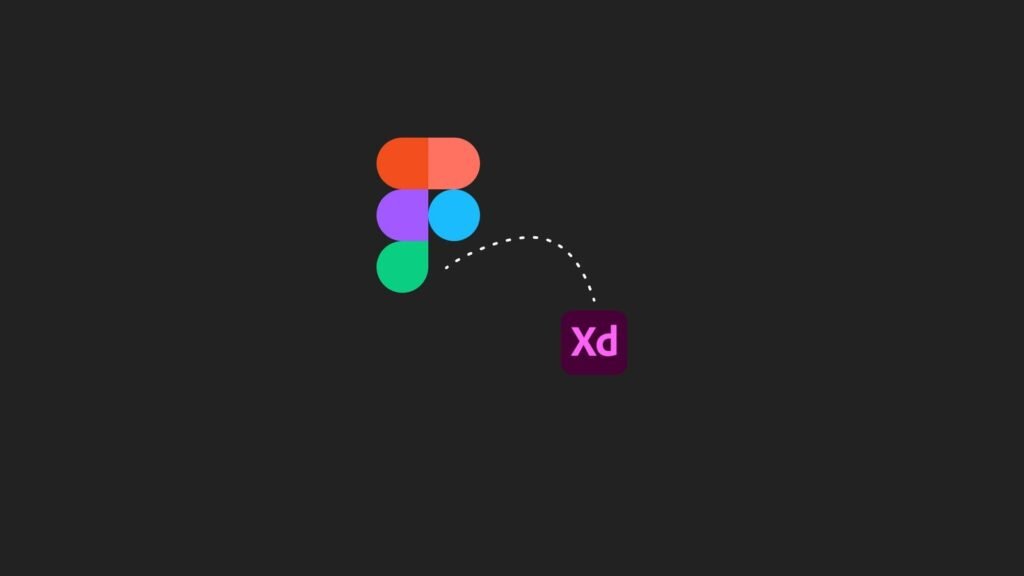
Adobe XD was our default design tool for years. We built client sites in it, handed off specs from it, and defended it in conversations about tools. Then Adobe changed the pricing model, and the whole calculation shifted.
This is not a hit piece on Adobe. We still use Photoshop for photo editing on almost every project. But for UI design and prototyping, we moved to Figma and have not looked back. Here is the honest breakdown of why.
What Adobe XD becoming a paid-only tool actually costs
Adobe XD used to ship as a free standalone app. That made it genuinely compelling, especially for smaller studios or independent designers who did not need the full Creative Cloud suite. When Adobe folded it into the paid Creative Cloud ecosystem, the math changed fast.
The Creative Cloud All Apps plan runs around $54 per month, which works out to roughly $648 per year. If you are a solo designer or a small team that only needs a UI tool, that is a hard number to justify. Figma’s free plan covers most of what a working designer needs: unlimited drafts, real-time collaboration, Auto Layout, components, and prototyping. The paid Professional plan is $15 per editor per month, or $180 per year. That gap is hard to argue with.
For us, the pricing shift was the trigger. The feature comparison sealed it.
Where Figma actually outpaces Adobe XD in day-to-day work
Adobe XD improved steadily over its life, but a few areas consistently required more manual workarounds than we wanted to deal with on client deadlines.
Auto Layout is the one we mention most. In Figma, elements resize and reflow based on content and container constraints in a way that maps naturally to how CSS flexbox behaves. This matters on real projects because a design that breaks as soon as you change a button label wastes everyone’s time. Adobe XD’s Responsive Resize worked, but it needed more hand-holding.
Frames and components in Figma behave like a mini design system out of the box. Component variants, nested overrides, and swappable instances mean a button or card stays consistent across a 30-page file without you chasing down every instance manually. On a custom WordPress build where the design needs to map to a real component library, that consistency matters.
Real-time collaboration in Figma is genuinely live. Multiple people editing the same file at the same time, with cursors visible, comments threaded inline, and no “save to cloud first” step. Adobe XD added co-editing later, but the experience never felt as fluid.
Variables and global tokens, added in Figma in 2023, let you define color, spacing, and typography values once and reference them everywhere. This is the kind of feature that makes brand and visual system work scalable rather than fragile.
The free resource ecosystem is not a small thing
Figma’s community tab ships with thousands of free UI kits, icon sets, templates, and plugins, and installing any of them takes about ten seconds. We use the Phosphor icon library, several wireframe kits, and a handful of plugins for things like content population and accessibility contrast checking. None of that costs anything extra.
Adobe XD had plugins too, but the Figma community is larger and more actively maintained. For a studio that moves through multiple client projects in a month, having that library available without friction is a real time saver.
Is switching from Adobe XD to Figma actually worth it?
That depends on your setup. A few honest checkpoints before you commit:
- If you already pay for Creative Cloud for Photoshop or Illustrator, the marginal cost of keeping XD is zero. Figma’s advantages are still real, but the financial case weakens.
- If XD is the only Adobe product you use, switching to Figma’s free plan saves you hundreds of dollars per year immediately.
- If you collaborate with developers or other designers, Figma’s live multiplayer and shareable inspect view will make handoffs noticeably cleaner.
- If you work solo and your current XD workflow is fast, the learning curve is real but shallow. Most designers feel comfortable in Figma within a week.
- If your clients want to review designs in the browser without installing anything, Figma’s shareable prototype links make that trivial.
Adobe has not formally discontinued XD, but development has slowed and the product roadmap has been quiet. The Adobe XD support page still exists, but community momentum has clearly shifted. Betting a production workflow on a tool that may see limited investment is a risk worth factoring in.
How this change affected our client work
Practically speaking, the switch cost us a week of adjustment and zero client disruption. Figma exports clean PDFs for clients who want a document, shareable prototype links for anyone who wants to click through a flow, and developer-ready specs via the inspect panel. We have not had a client ask for an XD file since we made the change.
The designs we produce now feed directly into our builds, whether that is a WordPress site, a visual identity system, or a more complex application. The tool handoff from Figma to development is cleaner than anything we managed with XD.
If you are weighing the same move or want to talk through how we approach design before a build, book a free 30-minute call and we can walk through it with you.